
The Mycytia client space centralizes rental management, condominium documents, and real estate operation tracking on a single online interface. Accessing this space requires having active credentials and understanding the data compartmentalization logic that governs the platform. This article analyzes access levels, regulatory obligations surrounding the condominium extranet, and the most common friction points during login.
Data compartmentalization and access levels on a real estate extranet
Most competing guides describe logging into Mycytia as a simple entry of username and password. The architecture behind this login is based on a less visible principle: each user profile has distinct access rights.
A co-owner accesses the common documents of the building and their personal documents (fund requests, charge statements). Members of the board have an additional space containing reserved management documents. A tenant, on their side, can view their receipts and balance without seeing the condominium data.
This compartmentalization is not an ergonomic choice: it stems from personal data protection rules. A co-owner cannot view another co-owner’s personal documents or the elements reserved for the board. Agencies managing properties through platforms like Mycytia must respect these separations, and it is possible to access the Mycytia space of Alpes Provence Immobilier to see how these levels are concretely manifested.
| User Profile | Common Documents | Personal Documents | Board Space |
|---|---|---|---|
| Co-owner | Yes | Theirs only | No |
| Board Member | Yes | Theirs only | Yes |
| Tenant (rental management) | No | Receipts and balance | No |
This segmentation explains why two people residing in the same building do not see the same sections after logging in.

Legal obligation for condominium extranet and exemption exception
The professional property manager is required to provide secure online access to condominium documents. This obligation applies to all property manager extranets, not just Mycytia.
An exception exists: the general assembly can vote to exempt this extranet according to the majority rules set by law. In practice, this exemption remains rare because dematerialization reduces mailing costs and simplifies tracking for geographically distant co-owners.
Email addresses of co-owners from December 2025
As of December 25, 2025, the prior agreement of the co-owner is no longer required to register their email address in the list maintained by the property manager. This change facilitates the sending of notices and notifications via the client space.
The automatic registration of the address does not mean that this information becomes public. Access to it remains regulated: the list of co-owners, for example, can only be consulted by the co-owners themselves and under specific conditions, not by any third party.
Connection issues with Mycytia: diagnosing common causes
Access difficulties to an online client space for real estate are categorized into a few recurring issues. Before contacting support, a quick diagnosis often resolves the blockage.
- Password never initialized: when creating the account, an activation link is sent by email. If this link has not been used or has expired, the login fails without an explicit error message. The password regeneration procedure resolves this case.
- Email address different from the one registered: the property manager or agency registers an address when signing the mandate or entering the condominium. If the co-owner uses a different address to log in, the platform does not recognize the username.
- Change of manager: when a property transfers from one agency to another within the network, the credentials may be reset. The new manager must then resend an invitation.
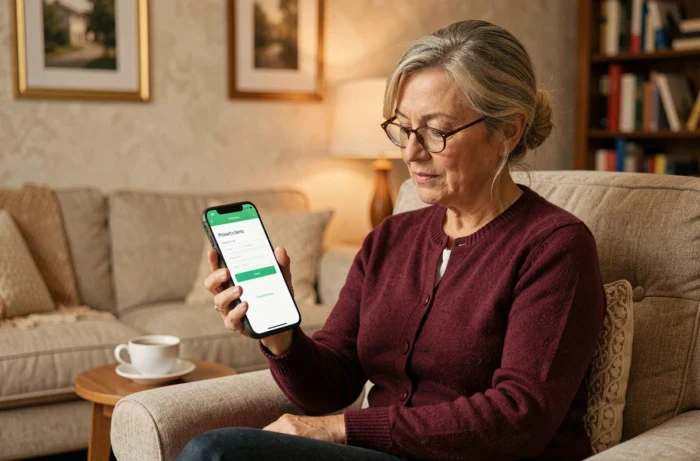
The login page generally offers a password recovery form. Simply enter the email address registered with the property manager or agency to receive a reset link.
Online rental management: what the client space actually allows you to manage
For a landlord, the Mycytia client space consolidates rental tracking functions. Rent receipts, due notices, and management reports are archived in digital format.
Tracking rent collections is the most consulted function. The landlord can check if the tenant has paid on the due date and view the payment history without having to contact their manager by phone.
Annual tax documents (summary of rental income, details of deductible charges) are also accessible from the space. This centralization avoids mail exchanges during the declaration period.
Limitations of the interface for ongoing management
The client space remains a tool for consultation and downloading. Management decisions (work, reminders for unpaid bills, lease termination) always go through the agency. The extranet does not replace the management mandate, it makes tracking it clearer.
A landlord wishing to modify the lease conditions or initiate a procedure must contact their manager directly. The interface does not offer online validation of legal acts.
The Mycytia client space serves a specific function: to provide access to documents and financial tracking without telephone intermediaries. Its value lies less in the connection itself than in the quality of data compartmentalization and the regular updating of documents by the manager.